
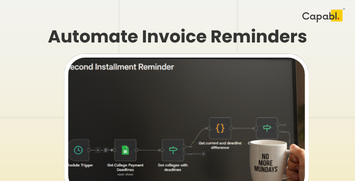
The goal is simple: Send a friendly nudge exactly 2 days before a payment is due. Not a week before (too early, they’ll forget) and not the day of (too late, they might have missed their processing window).
Here’s how the logic actually looks when you’re building it.
The "Skeleton" of the Workflow
To get this running, you really only need four main "stops" in your n8n canvas. I personally use Google Sheets to track my invoices because it's easy to share with the team, but this works just as well with Airtable or a database like PostgreSQL.
1. The Trigger: The Morning Coffee Run
You don’t want this running every hour, that’s overkill. I set a Schedule Trigger to fire off every morning at 9:00 AM.
- Pro tip: Make sure your n8n timezone is actually set to your local time. There’s nothing more embarrassing than "automated" reminders hitting a client's inbox at 3:00 AM.
2. The Data Fetch: Who Owes Us?
Next, I use a Google Sheets node to "Read" the entire sheet.
- What you need in your sheet: At the very least, you need
Client Name,Email,Amount Due,Due Date, and aStatuscolumn (to make sure you aren't pestering people who already paid).

3. The Brains: The "2-Day" Filter
This is where the magic happens. We need to tell n8n: "Only move forward if the Due Date is exactly 48 hours from now."
You can use the Date & Time node for this, or a quick Code node if you like a bit of JavaScript. I usually lean toward the Code node because it feels a bit more precise. The logic looks something like this:
const today = new Date();
const targetDate = new Date();
targetDate.setDate(today.getDate() + 2); // This is our "2 days from now" marker

return items.filter(item => {
  const dueDate = new Date(item.json.DueDate);
  // We compare the dates while ignoring the exact time/seconds
  return dueDate.toDateString() === targetDate.toDateString() && item.json.Status !== 'Paid';
});
4. The Delivery: Gmail or WhatsApp
If a row survives that filter, it hits the Gmail node. I keep the tone light likea "Friendly nudge" rather than "Debt collector."
Subject: Quick heads-up: Invoice #{{$json.InvoiceID}} due in 2 days
Body: Hey {{$json.ClientName}}, hope you're having a good week! Just a quick note that the payment for your latest invoice ($ {{$json.Amount}}) is coming up on {{$json.DueDate}}.
5. The FInal Workflow
You can checkout the workflow which I built for Capabl by clicking here.
Inspire Others – Share Now
Agentic AI Saksham
India’s Only 1st Ever Offline Hands-on program that adds 4 Global Certificates while making you a real engineer who has built their own AI Agents
EV
Saksham
India’s Only 1st Ever Offline Hands-on program that adds 4 Global Certificates while making you a real engineer who has built their own vehicle
Agentic AI LeadCamp
From AI User to AI Agent Builder — Capabl empowers non-coding professionals to ride the AI wave in just 4 days.
Agentic AI MasterCamp
A complete deployment ready program for Developers, Freelancers & Product Managers to be Agentic AI professionals