
Introduction: Why Build an AI Agent in 2025?
Artificial intelligence agents are transforming how businesses, teams, and individuals work every day. In 2025, AI agents are more accessible than ever, thanks to no-code platforms and open-source frameworks. Building your first AI agent allows you to automate boring tasks, improve productivity, and discover the future of automation—no PhD or advanced coding experience required.
You might want an AI agent for customer support, data analysis, or even as a personal assistant. Let’s dive into the easiest path to get started.
What is an AI Agent?
An AI agent is more than “just a chatbot”. Agents understand context, make decisions, and act autonomously. In business, they answer questions, pull and summarize data, automate workflows, and learn from every interaction for continuous improvement.
Image suggestion: Diagram showing a user interacting with an AI agent that performs tasks like chat, search, and data workflow analysis.
Prerequisites: What You Need to Begin
The real beauty of 2025’s AI agent landscape is accessibility. Here’s what you need:
- Access to the internet and a modern web browser
- An account on a no-code AI agent platform (e.g., Langflow, Flowise, Make AI, Botpress)
- Basic knowledge of your use case (e.g., what workflow or task you want to automate)
- Optional: Simple datasets or APIs for connecting your agent to real information
Image suggestion: Screenshot of a no-code agent platform dashboard, e.g., Flowise or Langflow in setup mode.
Step 1: Define Your Agent’s Purpose & Scope
Start with the “why.”
- Is this agent answering common sales questions?
- Will it help you analyze incoming emails or summarize meeting notes?
- Should it trigger actions in response to specific inputs?
The more specific you are with your agent’s mission, the easier the building process will be.
Step 2: Choose the Right Platform & Tools
For beginners, low-code and no-code platforms lower the barrier to entry.
Popular beginner tools in 2025:
- Langflow: Intuitive drag-and-drop interface—great for building agents that need to process language, learn, and generate responses.
- Flowise: Powerful for workflow automation, data analysis agents, and process bots.
- Make AI: Best choice for customer service and integration with forms and communications channels.
- Botpress: Flexible and open-source, suitable for both beginners and advanced users.
Image suggestion: Comparison table screenshot of platforms or a logo-grid of popular agent tools.
Step 3: Design Your Agent’s Conversation Flow
A successful agent starts with a clear conversation or workflow map:
- What questions will users ask?
- What actions should the agent perform?
- How will it handle unknown or ambiguous requests?
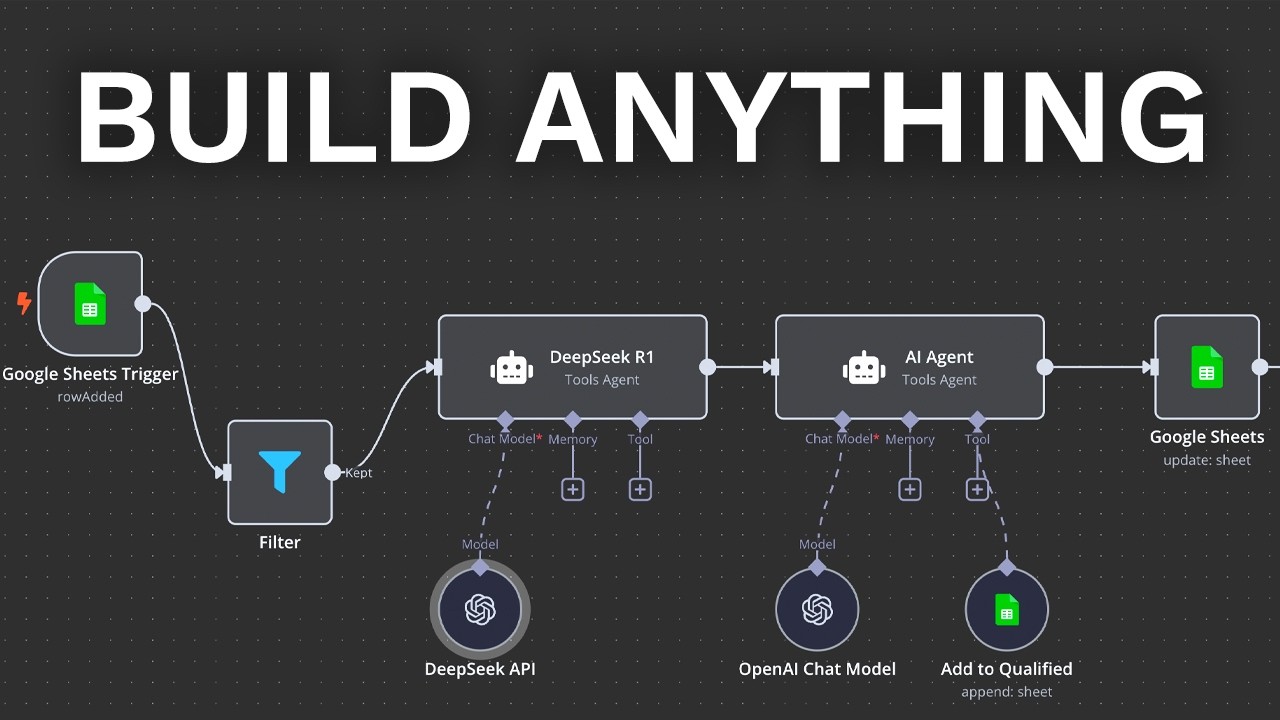
Many platforms provide visual flow designers to help you “drag-and-drop” different paths.
Pro tip: Start simple—answer FAQs or route tasks, then expand as you learn.
Step 4: Build the Intelligence (Logic, Language, Learning)
This is where the AI magic happens:
- Intent Recognition: Teach the agent how to understand what users really want (using examples)
- Response Generation: Combine static answers, dynamic content, and data pulls from APIs
- Personalization & Memory: Use the agent’s “memory” to deliver better experiences
Most platforms offer pre-built components so you can set this up without code, but you can expand later using Python, APIs, or custom connectors.
Image suggestion: Screen sample of an agent’s training data interface or flow setup page.
Step 5: Test and Fine-tune Your Agent
Testing is crucial.
- Try typical user questions and look for mistakes
- Refine agent logic or add more training examples
- Use built-in analytics to spot gaps and improve performance
Image suggestion: Analytics dashboard showing bot conversation stats and improvement charts.
Step 6: Deploy Your Agent for Real Use
When your agent is ready:
- Deploy it on your website, in messaging apps, or as an API
- Secure the deployment—ensure user data privacy and compliance
- Monitor agent performance in real scenarios and gather user feedback
Modern agents are easily embeddable and support popular channels like WhatsApp, Slack, and websites.
Next Steps: Best Practices for Improvement
- Keep updating your agent with real user data
- Monitor and adapt to new use cases as your business grows
- Test with edge cases and stress scenarios for robustness
- Continue learning—2025 brings new tools and features monthly!
Conclusion: Your Path Forward in AI
Building your first AI agent in 2025 is achievable and rewarding, even for total beginners. Start simple, choose a modern platform, and learn by doing. As AI agents become more capable, your skills will empower you to automate, innovate, and lead with intelligent technology.
Inspire Others – Share Now
Agentic AI Saksham
India’s Only 1st Ever Offline Hands-on program that adds 4 Global Certificates while making you a real engineer who has built their own AI Agents
EV
Saksham
India’s Only 1st Ever Offline Hands-on program that adds 4 Global Certificates while making you a real engineer who has built their own vehicle
Agentic AI LeadCamp
From AI User to AI Agent Builder — Capabl empowers non-coding professionals to ride the AI wave in just 4 days.
Agentic AI MasterCamp
A complete deployment ready program for Developers, Freelancers & Product Managers to be Agentic AI professionals



Table of Contents
- Introduction: Why Build an AI Agent in 2025?
- What is an AI Agent?
- Prerequisites: What You Need to Begin
- Step 1: Define Your Agent’s Purpose & Scope
- Step 2: Choose the Right Platform & Tools
- Step 3: Design Your Agent’s Conversation Flow
- Step 4: Build the Intelligence (Logic, Language, Learning)
- Step 5: Test and Fine-tune Your Agent
- Step 6: Deploy Your Agent for Real Use
- Next Steps: Best Practices for Improvement
- Conclusion: Your Path Forward in AI